Most of what we do inside Adobe Commerce is invisible once it's done. Publishing an app on the Adobe Exchange Marketplace is something different. It's out there. Anyone running Adobe Commerce can find it, install it, and use it.
Earlier this month, we published the Order Export App - now live and free on Adobe Exchange. Here is what the process actually involves.
Adobe Commerce has native order export functionality. What it does not provide out of the box is item-level detail, such as quantities ordered, item tax, product type, all in a single structured CSV.
The Order Export App fills that gap. It sits inside the Adobe Commerce Admin, connects to Commerce through APIs, and lets any admin user pick a date range, click export, and get a clean CSV with the fields that actually matter: order ID, customer name, status, currency, subtotal, discount, item SKU, and timestamps. The export window runs up to 90 days and can be configured beyond that.
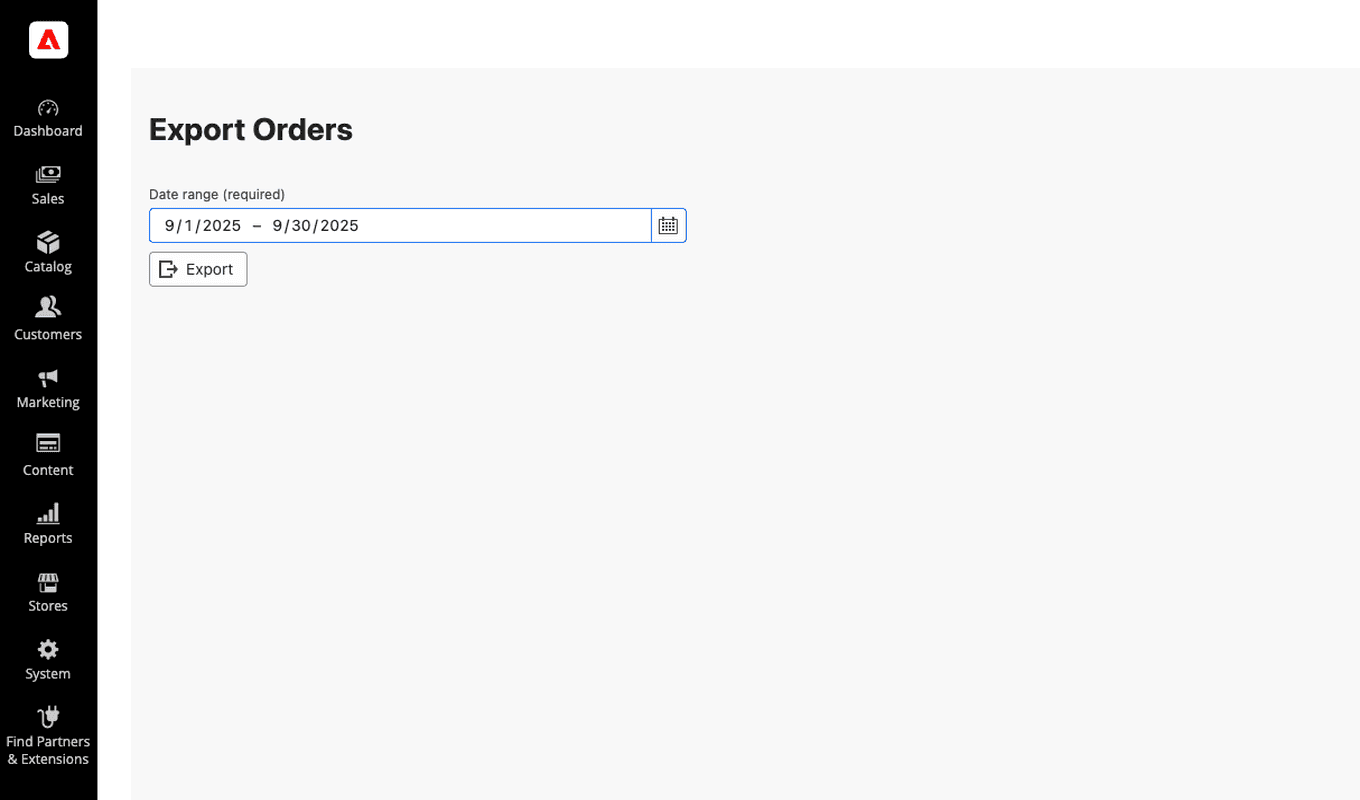
It's built for the operations manager, the finance lead, the account team. The people who need the data but shouldn't have to ask for it.
This wasn't a client project. We built the Order Export App as a working demonstration of out-of-process extensibility - Adobe's newer approach to extending Commerce without modifying the core platform.
As an Adobe partner, we work inside Adobe Commerce every day. But understanding the full picture means going beyond implementation. We wanted to test what building and distributing on Adobe Exchange actually involves - the architecture, the review process, what it takes to get something approved and live on the Marketplace.
The app is the proof of that work.
To understand why this approach matters, it helps to know what App Builder is.
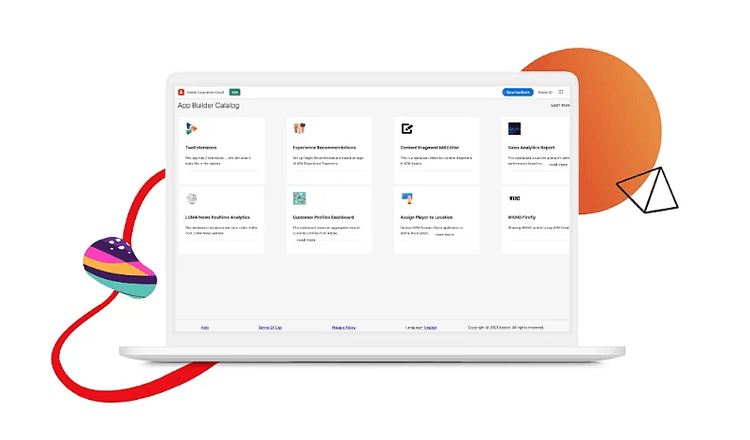
App Builder is Adobe's framework for extending Adobe Commerce without touching the core platform code. Instead of customising Commerce directly, which creates maintenance complexity and complicates upgrades, App Builder lets developers build functionality that sits alongside the platform. It connects to Adobe Commerce through APIs and runs on Adobe's cloud infrastructure.
For merchants, it means new capabilities can be added without putting platform stability at risk. For us, it means building things like the Order Export App in a way that is clean, maintainable, and aligned with where Adobe Commerce is heading.
Adobe's submission guidelines are detailed and the review process is thorough. Here is what is worth knowing before you start.
Adobe requires all Exchange apps to support both deployment environments. Most Commerce development happens in PaaS, and it is easy to build there without fully accounting for SaaS from the start. The two environments handle authentication and API access differently. Those differences are not a detail to resolve later. They affect how the whole app is structured and understanding that early changes how a project gets scoped.
If you want to go deeper on the PaaS vs SaaS distinction, we've covered it here.
App Builder is actively evolving, and its documentation reflects that. Older approaches and newer methods coexist, and they do not always point in the same direction. The way to navigate it is to cross-reference sources, lean on community knowledge, and treat the official docs as a starting point rather than the final word.
Adobe has published AI-assisted development tools on Experience League built specifically for App Builder work. Having that support available from the start makes a meaningful difference when you are working across an evolving platform and a detailed submission process at the same time.
The app is live. It works. It is free. And the experience of building and shipping it gave us something that does not come from implementation work alone: a deep understanding of Adobe's Marketplace ecosystem, from architecture through to approval.
That informs how we work with clients on Adobe Commerce now. If you are thinking about what is possible on the platform, whether that is a tool like this one or something built around a workflow specific to your business, our Adobe practice is where that conversation starts.